


Skip to content
MatiasEnrique/Aqqua
AgentsFlowsFeaturesOpen sourceFAQ
Download
A surfer with a laptop riding the shoulder of a long wave at dusk
Agentic development environment

Surf your backlog
with Aqqua ADE

A community fork of t3.codes
Download for macOSRead the source
  • 100% free and open source
  • No account, no API keys
  • macOS · Windows · Linux

Bringthesubscriptionyoualreadypayfor.

aqqua speaks ACP, so every harness lands in the same interface. Nothing is metered, resold or routed through us — your prompts go straight to your provider, and your code never leaves your machine.

  • ClaudeClaude Code
  • CodexCodex CLI
  • GrokGrok CLI
  • opencodeOpenCode
  • CursorCursor
  • pipi coding agent
  • ClaudeClaude Code
  • CodexCodex CLI
  • GrokGrok CLI
  • opencodeOpenCode
  • CursorCursor
  • pipi coding agent
Three providers, one branch

Agent orchestration across providers

Spawn a swarm against a single change and supervise every thread in one place. Below, Claude runs the orchestration and hands one lane to Codex and one to pi — the provider is a setting, not a rewrite.

01

Agents spawned with the $orchestrate skill, or straight from the aqqua agent spawn CLI.

02

Every lane pinned to its own provider instance, model and reasoning level — chosen from what that model actually advertises.

03

An orchestrator keeps its whole agent tree behind one numbered control, so a large delegation never widens the tab strip.

A flow, before launch

Define your workflow.

Flows make your workflow native to aqqua: ordered steps, written down once. Each step runs a specific agent — its own prompt, provider and model — hands its artifact to the next, and keeps going while you read something else.

  1. 01

    Plan

    The planning agent opens its own thread on the exact provider and model you pinned to it, and saves its plan as a named artifact.

  2. 02

    Implement

    The next agent starts clean. It reads the plan by name, works the task's own branch and worktree, and never inherits the last step's context.

  3. 03

    Review

    Mark a step to pause and the task waits with everything written down. Resume once you've read the work — or don't, and it holds.

Same handoff contract, every run. Each task carries its own branch and worktree the whole way, so two tasks never fight over one checkout.

Download for macOSSee the rest of the workspace
Northstar API DemoNew flow
esc to close
Aqqua coding flow

Describe the pipeline. Each step runs in its own thread, in order.

Steps⌥↑↓ reorder
1
Plan
gpt-5.6-solHighauto-continue
Plan ${card_title}. Account for ${request} and write a concrete implementation plan.
${insert a card field or an artifact from an earlier step$insert an agent skill
2ImplementImplement the plan from ${artifact:Plan}claude-fable-5auto-continue
3ReviewReview the implementation for ${card_title}gpt-5.6-solwaits
Add step⌘⏎
1 card field
⌘⇧⏎ to createCreate flow
Three steps · two providers · one repeatable handoff
Core features

One window for the whole loop.

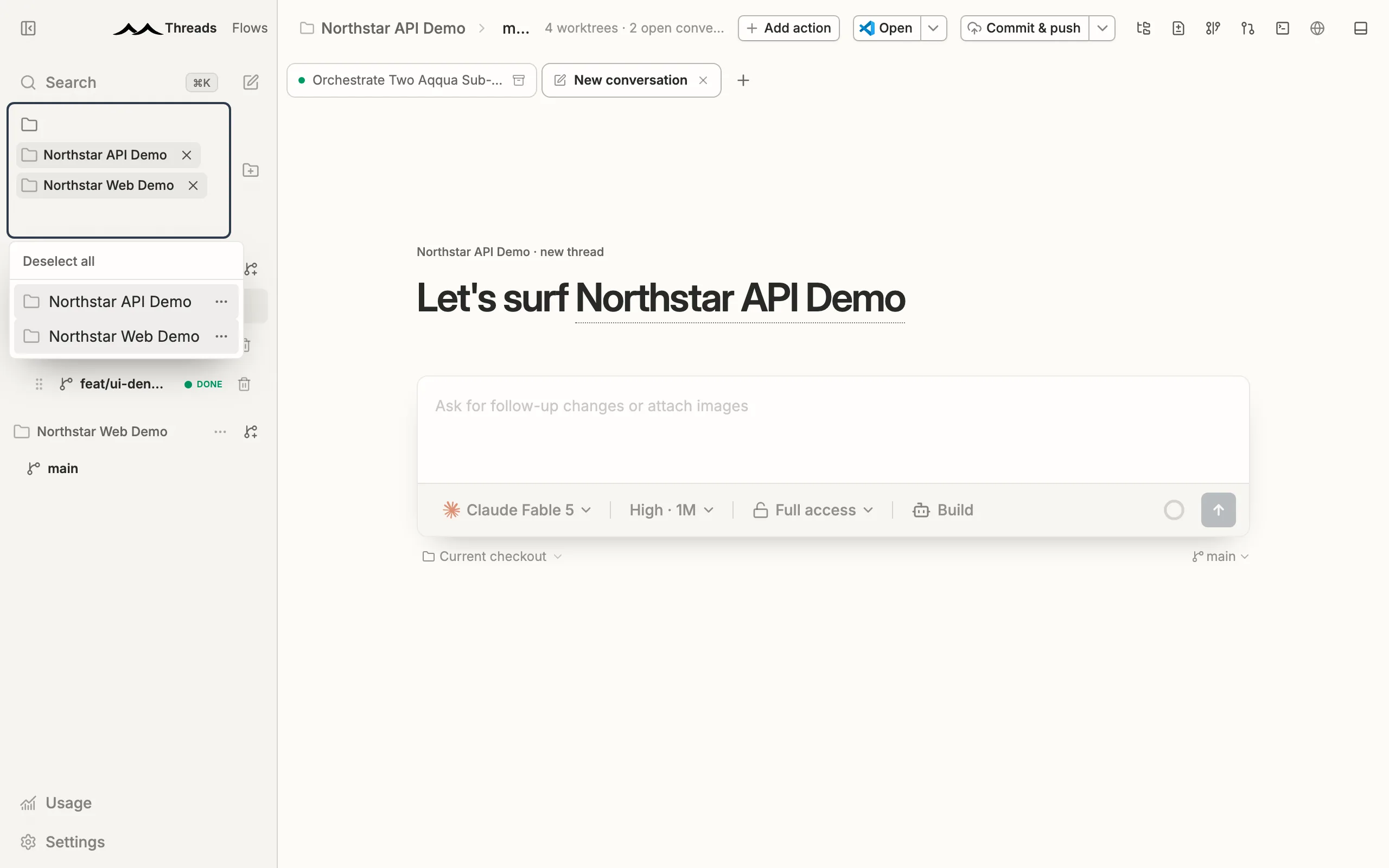
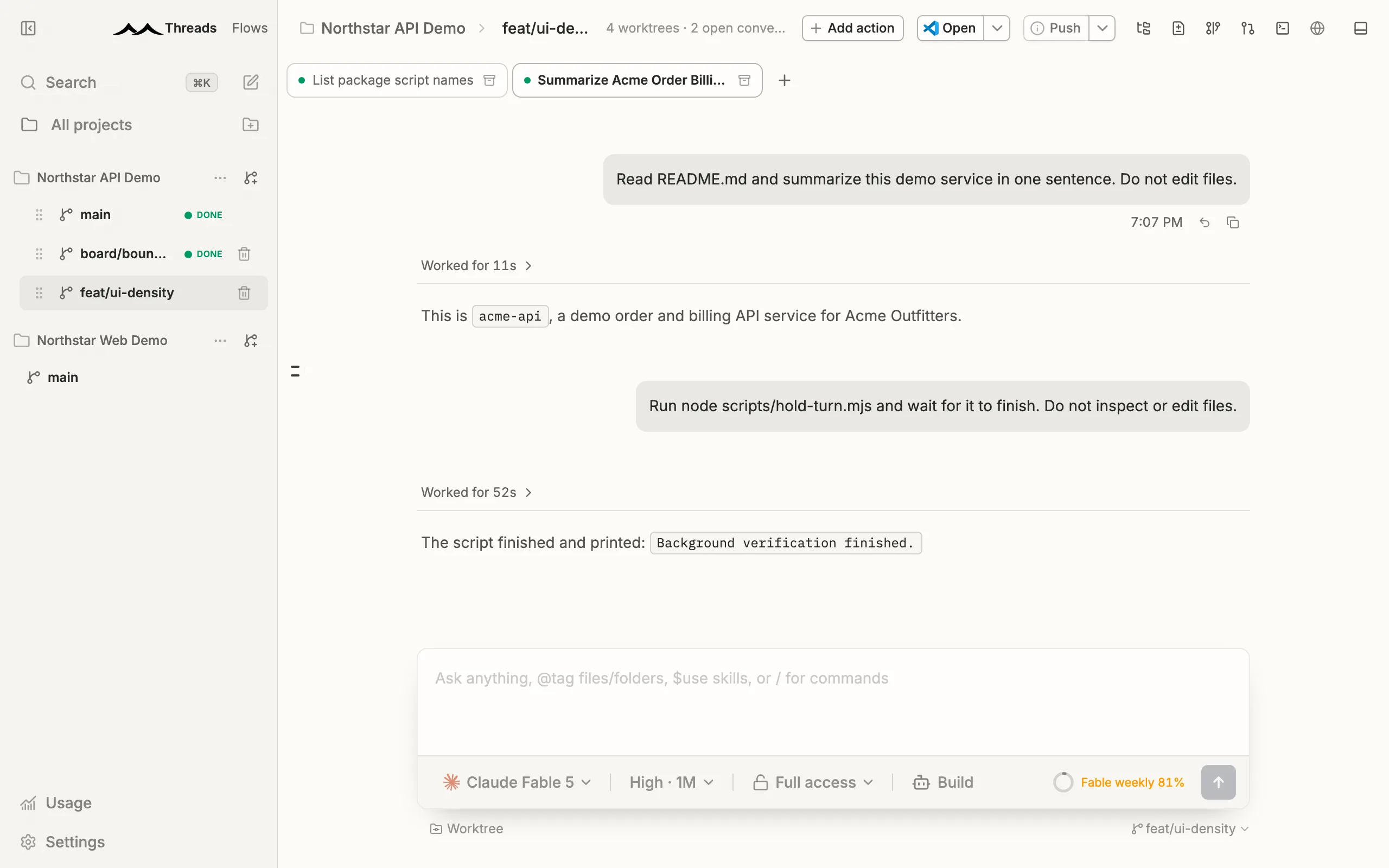
Worktrees

A card per worktree, a tab per conversation

Each card is a real branch and worktree; each conversation is a tab beneath it. Branch, checkout type and highest priority state ride on the card's face, and merged pull requests show their number — the whole swarm readable at a glance.
Queue

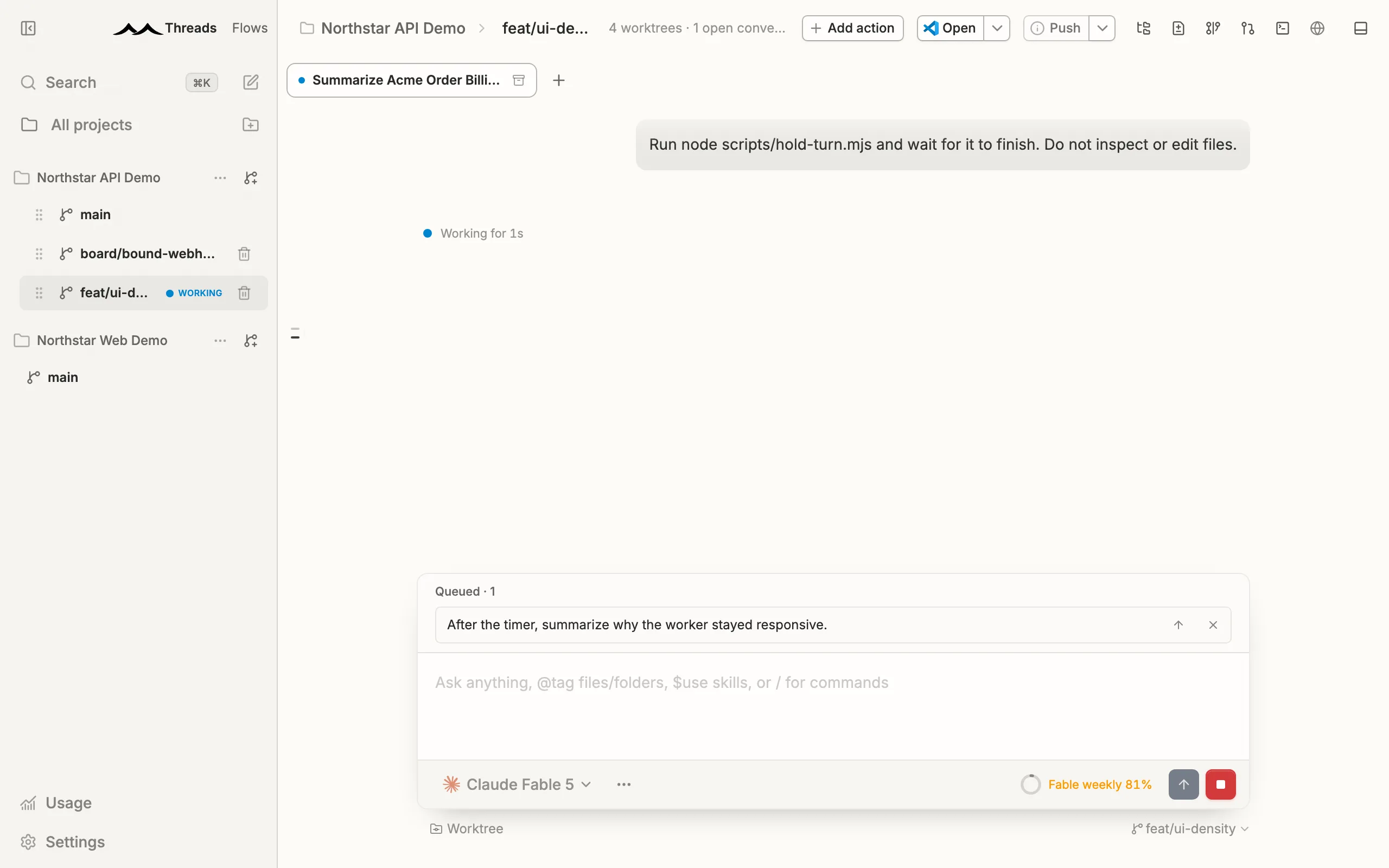
Queue the next three messages

Submitting during a running turn queues the message instead of interrupting it. aqqua sends them one turn at a time — steer one in early if it can't wait. The queue is durable thread state, so it survives reconnects across web, desktop and mobile.

History

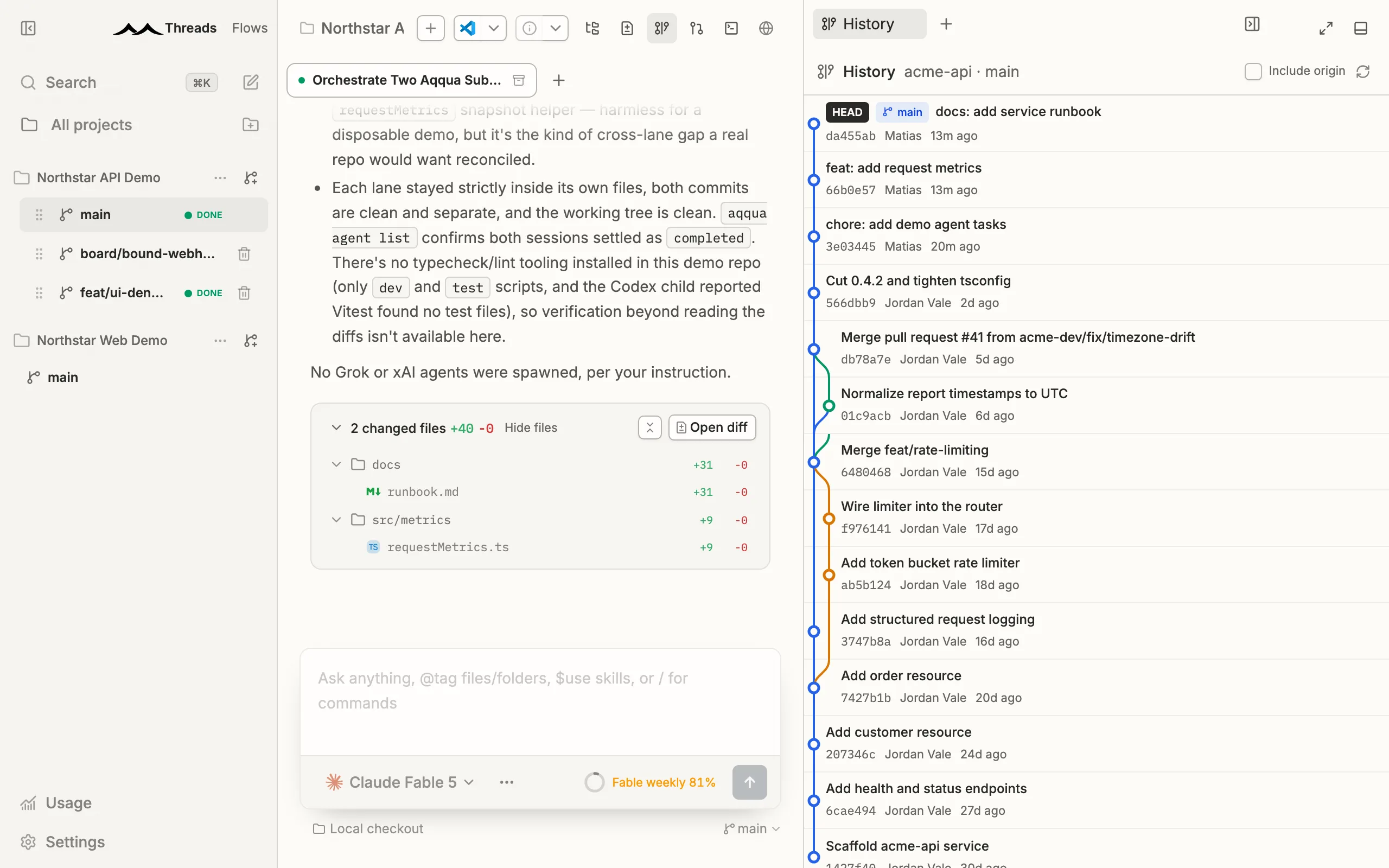
Git graph and history

Follow the branch's commit graph in the app — lanes, merges and tags — and open any commit's full diff beside it. aqqua reads refs already in the repository and never fetches behind your back.

Review

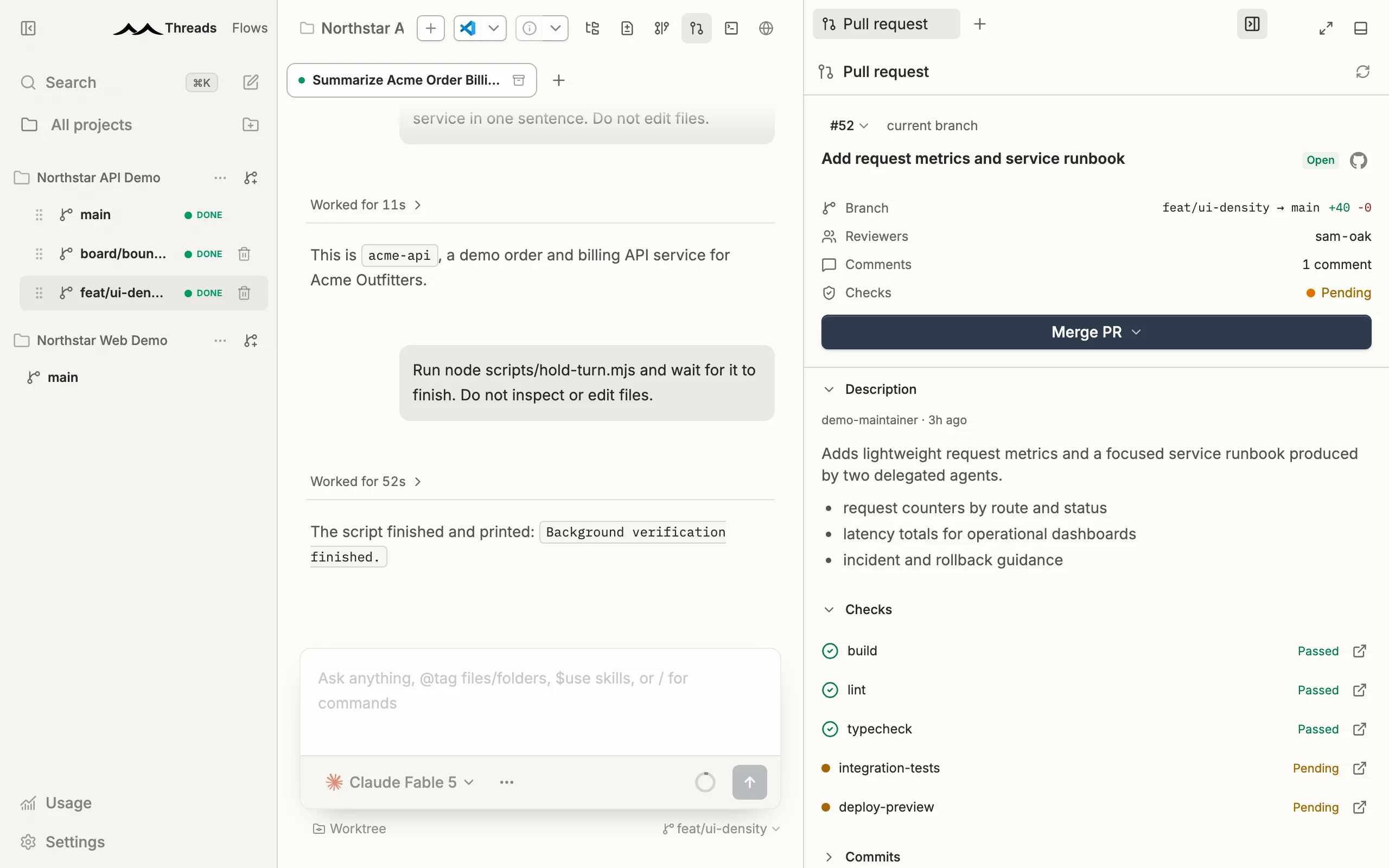
Pull requests, without leaving

Watch the change request for the branch you have checked out: state, base and head, aggregate CI and every individual check. Merge, arm auto merge, close or reopen from the same panel — and threads settle themselves once the PR lands.

Spend

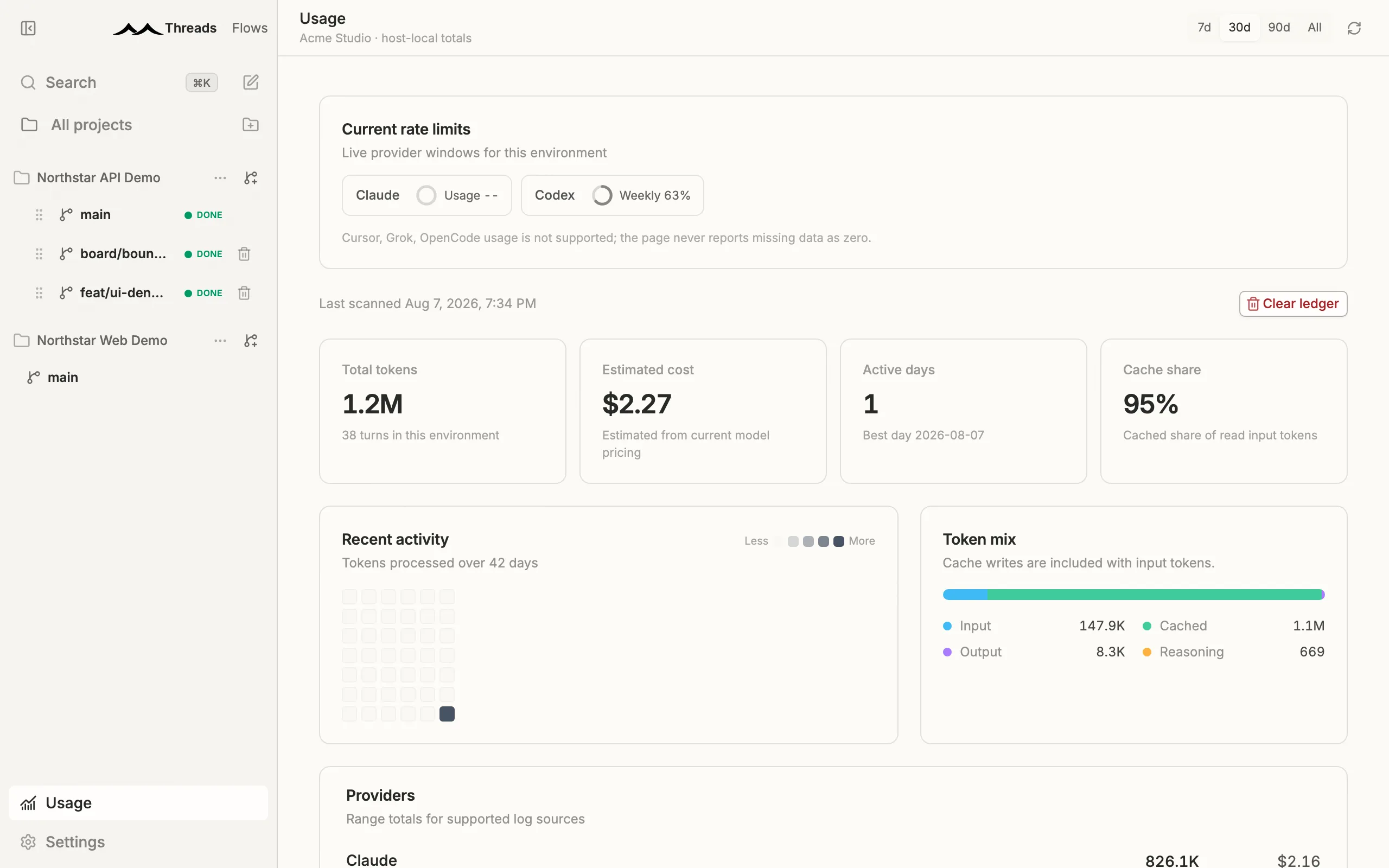
Know what the agents cost

Live rate limit gauges plus a historical ledger — tokens, turns, cache share and estimated cost by model and project. Scanning stays off until you turn it on, and the logs never leave the machine.

Continuity

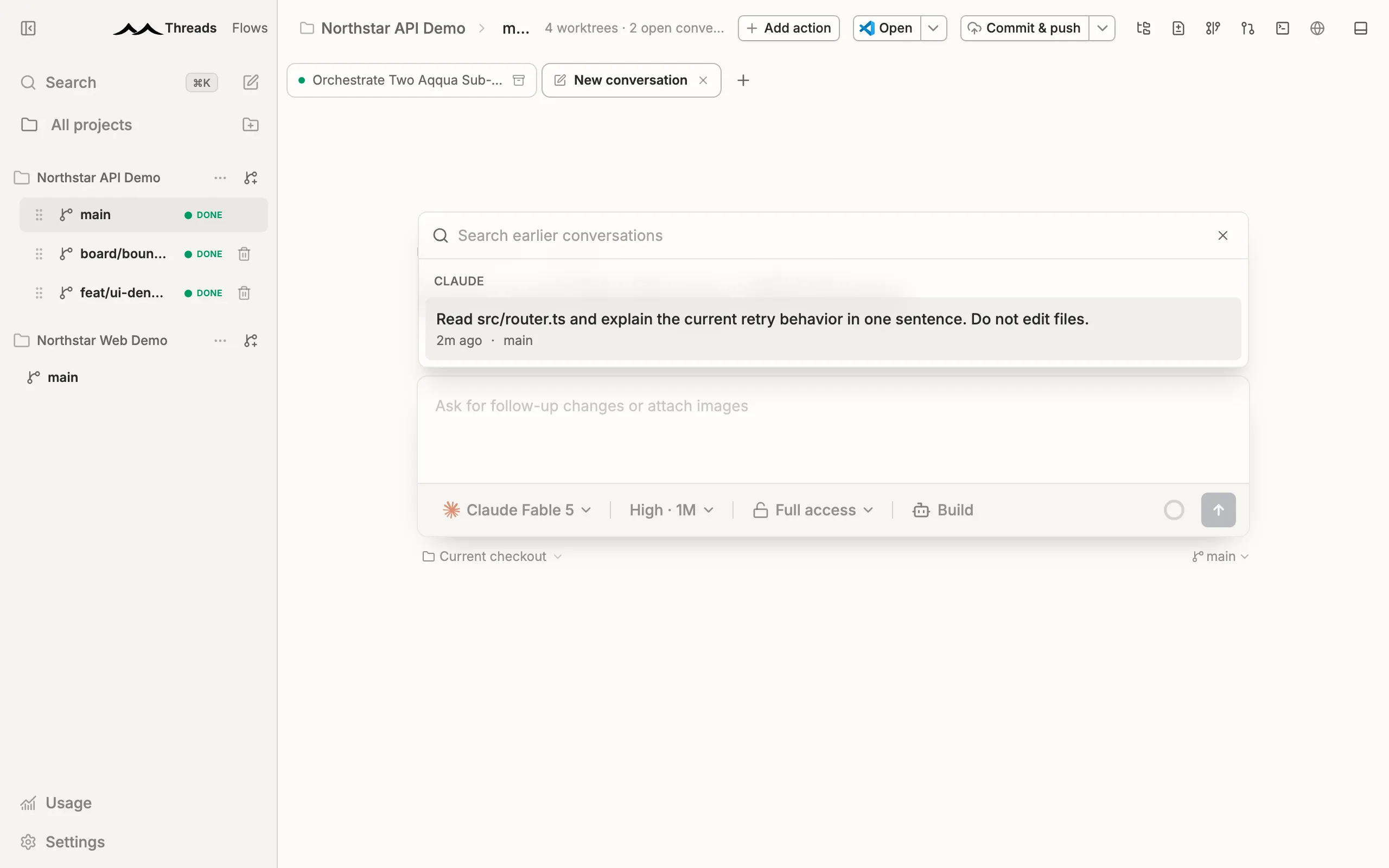
Resume a terminal conversation

Started something in the Claude Code or Codex CLI? Type /resume in a new draft and pick it up here. The thread adopts the provider session and keeps the earlier transcript one click away.

Focus

Scope the sidebar to what you're on

Run many projects from one window and narrow the registry to the ones that matter right now. Projects group their worktree cards and collapse independently.

Built in

Everything you kept a second window for.

Reviewing what an agent did shouldn't mean leaving the app that ran it. Commits, diffs, files and the rest of the workspace live beside the thread that produced them.

  • 01

    AI commit messages

    Stage the work and let the agent write the message from the diff itself — title, body and scope, no placeholder text.

  • 02

    Diff viewer

    Read every change side by side before it lands, file by file, without leaving the thread that made it.

  • 03

    File explorer and editor

    Browse and edit the repository in place. No second window to check what an agent touched.

  • 04

    Remote access and mobile

    Reach the same threads from another machine or the phone app while the agents keep running on your hardware.

  • 05

    Command palette and keybindings

    Every surface is one chord away, and the bindings are yours to rewrite when they don't match your muscle memory.

  • 06

    Every platform

    macOS, Windows and Linux from the same build. Same app, same threads, whichever machine you sit down at.

Open source

Yours to fork,
rename and ship.

There is no hosted tier holding the good parts back. The repository is the product — clone it, change it, ship it under your own name.

01

Change the UI

Every surface is yours to restyle or rip out. Not a theme API, not a plugin sandbox — the same source we build the release from.

02

Add a provider

A driver is a settings schema and an icon. Point aqqua at whatever harness you run internally and it lands in the same picker.

03

Ship your own build

Run it in house behind your own signing keys, or hand it out under your name. MIT asks for nothing back.

MIT licensed, top to bottom · A community fork of t3.codes

Fork on GitHubBrowse source
Questions

Before you
download.

Still stuck? The repository's issues and the Discord are both open — and so is every line of the answer.

Is aqqua actually free, or is this the free tier?

Actually free. The repository is the product — MIT licensed, top to bottom, with no hosted tier holding features back and nothing to upgrade to. Clone it, change it, ship your own build under your own name.

Do I need API keys or a billing account?

No. aqqua drives the harnesses you already sign in to — Claude Code, Codex CLI, Grok, OpenCode, Cursor and pi — on the plans you already pay for. Nothing is metered, resold or routed through us.

Does my code or my prompts leave the machine?

No. Everything runs locally against your own checkouts, and the app talks to the same provider endpoints your CLI already does. Usage scanning stays off until you switch it on, and the logs never leave the machine.

What does “a card per worktree” actually mean?

Each card owns a real git branch and a real git worktree on disk. Agents working different cards never share a checkout, so a swarm can run in parallel without three threads fighting over the same working tree.

How do flows differ from just prompting an agent repeatedly?

A flow is the pipeline written down once: ordered steps, each with its own prompt, its own pinned model and its own fresh thread. Steps take parameters and named artifacts from the steps before them, so every card takes the same path instead of whatever you happened to type that morning.

Can I mix providers on the same change?

Yes — that is the point of speaking ACP. Spawn agents with the $orchestrate skill or the aqqua agent spawn CLI and give each lane its own provider, model and reasoning level, all against one branch.

Which platforms are supported?

macOS on Apple Silicon and Intel, Windows 10 and 11 on x64, and Linux x86_64 as an AppImage — all cut from the same build. There is a mobile app for reaching threads that are running back home.

How does this relate to t3.codes?

aqqua is a community fork of t3.codes, kept MIT and shipped as its own builds. Forking is a supported way to use it: adding a provider is a settings schema and an icon, and every surface is yours to restyle or rip out.

Get aqqua

Take the wave.

One download, no account, no server to point it at. Sign in to the harnesses you already pay for and the workspace is yours.

Download for macOSStar on GitHub

Checking the latest release…All releases

macOSApple SiliconOn this machinedmgmacOSIntelOn this machinedmgWindows10 and 11, x64On this machineexeLinuxx86_64On this machineAppImage

The open source control plane for coding agents. Runs on your machine, on the subscriptions you already pay for.

MIT licensed · no account · no telemetry

Product

  • Orchestration
  • Flows
  • Features
  • Download

Open source

  • Repository
  • Releases
  • Issues
  • Discord

Legal

  • Terms of service
  • Privacy policy
  • Security policy
© 2026 aqqua · A community fork of t3.codes